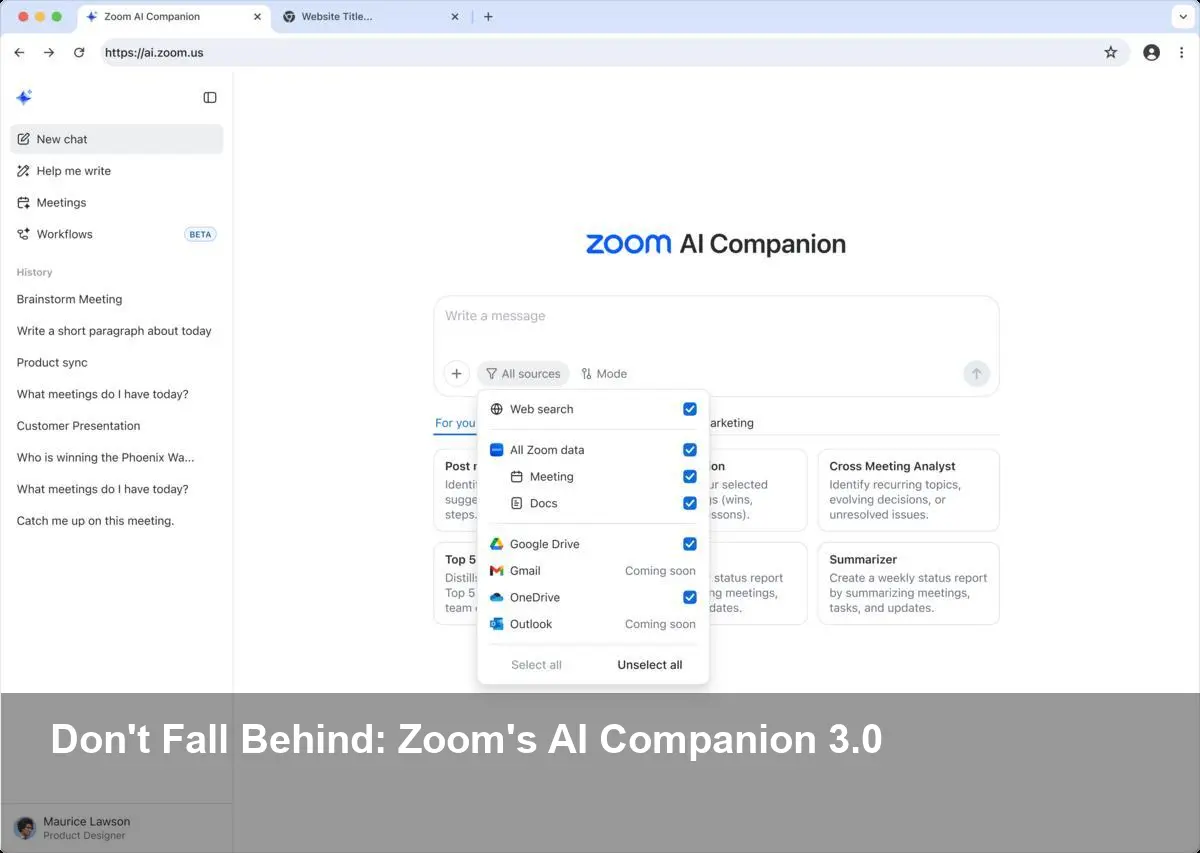
- Zoom has begun rolling out AI Companion 3.0, adding browser access and agentic automation.
- Browser access allows the AI to retrieve and reference live web content during meetings and tasks.
- Agentic automation lets the AI take multi-step actions autonomously, streamlining follow-ups and routine workflows.
Zoom rolls out AI Companion 3.0: what changed
Zoom has launched AI Companion 3.0, a significant update that expands the assistant’s capabilities with two headline features: direct browser access and agentic automation. The move aims to make the AI more autonomous and context-aware, enabling it to pull live web information and perform multi-step tasks on behalf of users.
Agentic automation explained
Agentic automation refers to an AI’s ability to act with a degree of autonomy — not just offering suggestions but executing sequences of actions across apps and services. In Zoom’s case, this could mean the Companion drafting follow-up emails after a meeting, scheduling calls, updating CRM records or compiling research from multiple sources automatically. For businesses, that promises to reduce repetitive work and accelerate post-meeting workflows.
Browser access: why it matters
By granting the AI browser access, Zoom allows the Companion to fetch and cite up-to-date web content and contextualize conversations with real-time information. That capability can improve meeting summaries, enrich follow-ups with links or references, and make research tasks faster. In practical terms, attendees could get summaries that reference the latest articles, product pages or public data without manual copy-paste.
Implications for meetings and workflows
Combined, browser access and agentic automation shift the Companion from a passive assistant to a more proactive collaborator. Use cases include:
- Auto-generated, citation-backed meeting summaries.
- Automated task creation and assignment in project tools.
- Rapid research aggregation and briefing before or during meetings.
These features aim to save time and reduce context-switching for knowledge workers who depend on Zoom for remote collaboration.
Privacy and security considerations
The new capabilities also raise important questions. Granting an AI browser access and the power to perform actions increases the surface area for data exposure and accidental information sharing. Organizations will need to evaluate access controls, logging, and consent mechanisms to ensure sensitive data isn’t inadvertently pulled into AI-driven workflows. Security teams will want clear controls for when and how the Companion can access external sites or take actions on behalf of users.
What to expect next
Zoom’s rollout of AI Companion 3.0 signals a broader trend: collaboration platforms are embedding more autonomous AI features into everyday workflows. Businesses should assess the benefits for productivity, weigh privacy and compliance implications, and pilot agentic features in controlled environments before broad deployment. As adoption grows, expect third-party integrations and policy controls to evolve to keep pace with the technology.
(No social media embeds or YouTube videos were present in the source provided.)
Image Referance: https://siliconangle.com/2025/12/15/zoom-rolls-ai-companion-3-0-browser-access-agentic-automation/